
Comic Book Reader (cbz/cbr)
Android Tools (ru)Comics
4.4152.00 Reviews
- Version
- 1.0.120
- Installs
- 1.00M
- Age Rating
- Everyone
Screenshots
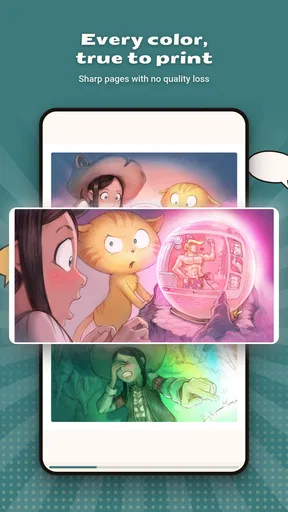
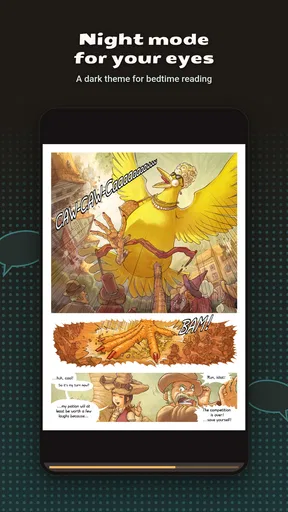
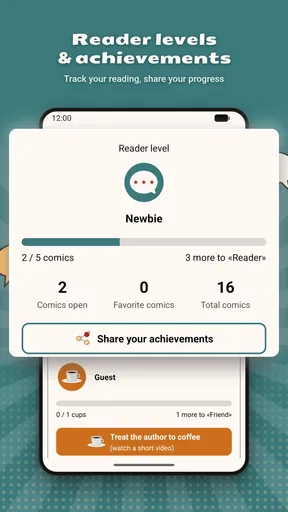
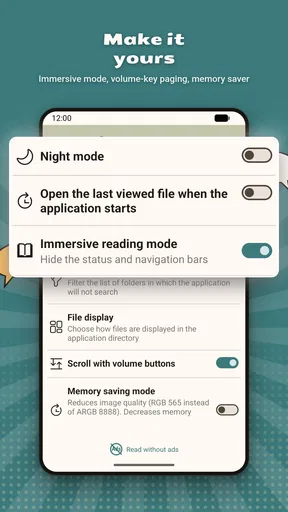
Our Review of Comic Book Reader (cbz/cbr)
 Analysis by Appyee
I usually judge a comic reader less by its promises than by the small moments that can interrupt a reading session: a file that will not open, a library that feels messy, or a page that is hard to read on a phone. Comic Book Reader (cbz/cbr) is aimed at readers bringing their own digital comics, and it is most appealing when you want one place to open a mixed collection rather than a storefront that encourages you to browse and buy new titles.
Where setup can get frustrating
The first hurdle is often not the reader itself but the collection you are trying to bring into it. A handful of files is simple to think about; a folder full of series, one-shots, and scans can be harder to manage. I would start with a small batch and confirm that the comics appear and open as expected before adding everything. That makes it easier to spot whether a problem comes from a particular file or from the import process.
File names matter more than many readers expect. If a series has inconsistent names or issue numbers, sorting may not produce the reading order you want, even when every comic opens correctly. Cleaning up names before importing can save time later, especially for long runs where issue order affects the story. I also recommend keeping a clear folder structure on the device so you can find the source files again if you need to re-import them.
With compressed comic formats such as CBZ and CBR, a failed opening does not automatically mean the app is broken. The file may be incomplete, damaged, or simply not the format its name suggests. Try another known-good comic from the same collection. If that one opens, the issue is more likely isolated to the original file than to your whole library.
Checks that make the first session easier
Comic Book Reader is a free comics app from Android Tools (ru), and its current version is 1.0.98. It is rated for Everyone and requires Android 6.0 or later. The app has an average rating of 4.4 from around 7.9K ratings, with over 500K installs. Those figures make it a familiar option for Android comic readers, but they cannot tell you whether your particular files are tidy or compatible, so a small test import is still a sensible first step.
Before deciding that a page is missing or displayed oddly, check the file itself in another viewer if one is available. A comic archive should contain the page images you expect, and a PDF should be readable as a PDF rather than renamed to another extension. If you are moving files from a computer, make sure the transfer has finished before opening them. A partially copied archive can look like an app error even though the underlying problem is an unfinished transfer.
For reading on a phone, I would try the brightness and orientation controls early rather than waiting until a long session. A page that looks comfortable indoors may be tiring outside, and a fixed orientation can be useful when you are holding the phone one-handed. These are practical adjustments, not a substitute for a larger screen: detailed artwork and small lettering can still be easier to enjoy on a tablet.
Diving Into the Features
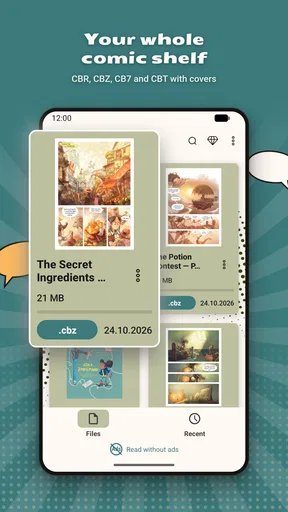
So, what makes the Comic Book Reader app stand out in the crowded comic book app scene? For starters, it supports a wide range of file formats, including cbz and cbr, which are the bread and butter of digital comic readers. You can also load up pdfs and other image files, making it super versatile.
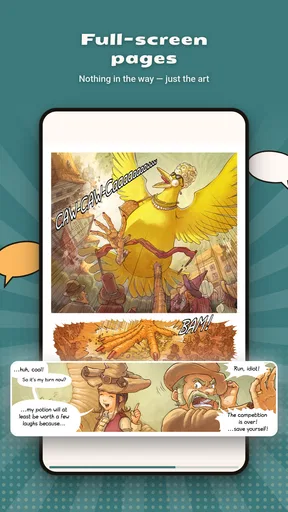
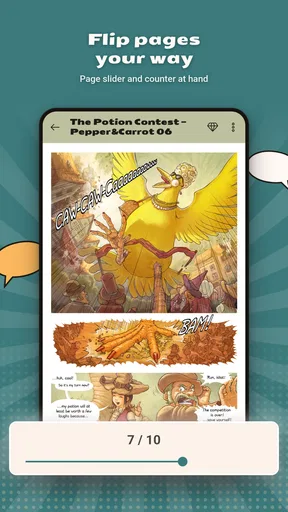
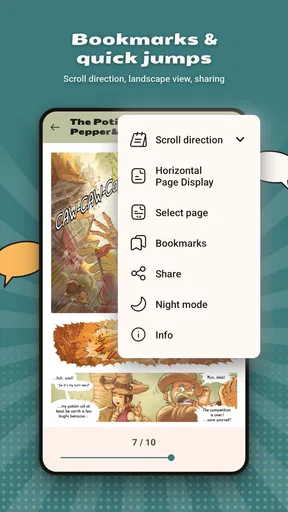
The interface is sleek and user-friendly. You won’t need a PhD in technology to navigate it. Just a few taps and swipes, and you're flipping through the pages of your favorite comic series. The app also allows for customization of the reader interface. You can adjust brightness, choose between different reading modes, and even lock the screen orientation. It’s these small touches that really enhance the reading experience.
Your Comics, Your Way
One of the standout features for me is the organizational capabilities. You can easily sort your comics by series, author, or genre, and even create your own custom collections. This makes it super easy to keep track of what you've read and what’s next on your list. The app also remembers your reading position, so you can jump right back into the action without missing a beat.
And let’s talk about the cloud storage integration. You can sync your collection across multiple devices, which means you can start reading on your tablet at home and continue on your phone during your commute. No more worrying about losing your place or having to manually transfer files between devices.
Flawless Performance
Performance-wise, the app is smooth as butter. Pages load quickly, and I haven’t encountered any annoying lags or crashes. It’s optimized for both Android and iOS, so no matter what device you’re using, you’re in for a seamless experience.
It also supports offline reading, which is a huge plus. Download your comics to your device and read them anywhere, anytime, without needing an internet connection. Perfect for long flights or commutes where connectivity is spotty.
Room for Improvement?
While the app is pretty solid, it’s not without its quirks. Some users might find the initial setup a bit cumbersome, especially if you’re trying to import a large collection at once. However, the app does a good job of guiding you through the process, so it’s just a minor bump in an otherwise smooth road.
Another thing to note is that while the app is free, there are in-app purchases available. These aren’t necessary for enjoying the full experience, but they do offer some extra features like additional themes and customization options.
Picking up again after a break
For a realistic routine, imagine opening an issue while waiting for a train, reading a few pages, then putting your phone away when the ride gets busy. The remembered reading position is useful here: you can return later without hunting through the comic manually. I would still make a habit of closing the issue at a natural stopping point, particularly if you switch between several books, so the library remains easy to navigate and you know which title you meant to continue.
If an issue seems to have vanished, retrace the simple path first: check whether the file is still stored where you expect, then reopen or re-import it if needed. Avoid deleting and reinstalling the app as a first reaction; that can create more work if your files are stored separately and you have not noted their location. Keeping a separate, organized copy of a collection makes recovery less stressful than relying on one app library as the only place you can find everything.
When a different kind of comic app fits better
This app’s main appeal is reading files you already have. That makes it a different proposition from comic services built around a catalog, account-based purchases, or recommendations. If your goal is to discover and buy titles inside one ecosystem, a dedicated digital comics shop may be more convenient. If you already have CBZ, CBR, PDF, or image files and mainly want a reader, a file-based app is the more direct route.
There is a trade-off to that freedom: you take more responsibility for naming, sorting, and backing up your collection. A shop-centered app can make browsing and acquisition feel simpler, while a personal-file reader can be a better fit for comics gathered from different sources. I would choose based on where your library lives, not just on how attractive the reading screen looks.
That distinction also matters for travel. If you plan to read offline, make sure the comics you want are actually on the device before you leave a reliable connection. The app supports offline reading, but the practical step is yours: open the titles beforehand and confirm they are available locally. For a commute, a short test at home is more useful than discovering on the train that a file was never copied over.
Limits worth weighing before you commit
The app is free to install, with optional in-app purchases ranging from $0.99 to $99.99 per item. I would begin with the free experience and decide whether any paid option addresses a need you genuinely have; there is little reason to pay simply because a purchase is offered. The price range is broad, so read the item details carefully before confirming anything, especially if you are only looking for basic file reading.
Another limitation is that a reader cannot repair a poor scan or make tiny lettering comfortable on every screen. You can adjust the display to suit the moment, but page quality and screen size still shape the experience. If you regularly read intricate artwork or prefer a printed-page scale, a tablet or paper edition may be a better choice than trying to make a phone do everything.
There is also a difference between a feature existing and fitting every workflow. Sorting tools help once a collection is reasonably consistent, but they cannot remove the need to maintain sensible filenames and folders. For someone with only a few comics, that is barely a concern. For a large archive, organization before import is the unglamorous step that can make the app feel either dependable or frustrating.
Who will get the most from it
I would recommend it to Android readers who already keep comics as files, want to mix formats, and value a straightforward way to resume reading. It is especially practical for someone who moves between a phone for spare moments and a tablet at home, provided the collection is available on both devices and the sync workflow suits them. Its 4.4 average across around 7.9K ratings suggests many readers find it useful, though personal file habits matter more than popularity.
I would steer away from it if you want a curated comics subscription, an in-app marketplace as your main source of books, or a completely hands-off library that organizes a badly named archive for you. It is also not the best match if you primarily read on iOS: the confirmed platform requirement here is Android 6.0 or later, so iPhone users should look for an option available for their own device rather than assume the same app experience carries over.
Final Thoughts
All in all, the Comic Book Reader app is a must-have for any comic book aficionado. It’s a well-crafted tool that brings your digital comic collection to life with its user-friendly interface and robust feature set. Whether you’re a casual reader or a die-hard fan, this app has something to offer. So go ahead, download it, and dive into the colorful world of comics. Happy reading!
My practical verdict is more specific: it is a good fit when you have your own comic files and want a flexible reader, and a less obvious choice when you expect a store, an automatic collection manager, or a solution to file problems. Start with a few titles, test the display settings you actually use, and keep the source collection organized outside the app as well. That small bit of care makes it much easier to tell whether a snag comes from the comic, the transfer, or the reading setup—and helps you decide quickly whether this is the right home for your library.
Privacy and Permissions
See what permissions an app requests and how it handles your data.
- Photos/Media/Files
- read the contents of your USB storage, modify or delete the contents of your USB storage
- Storage
- read the contents of your USB storage, modify or delete the contents of your USB storage
- Other
- view network connections, full network access, control vibration, prevent device from sleeping
Verdict
Strengths of Comic Book Reader (cbz/cbr)
- Supports multiple file formats effortlessly.
- Smooth and responsive page turning.
- Customizable reading settings for comfort.
- Bookmarking feature for easy reference.
- Integrated library management system.
Limitations of Comic Book Reader (cbz/cbr)
- Ad-supported version can be distracting.
- Occasional crashes on older devices.
- Limited cloud storage integration.
- Some advanced features require in-app purchases.
- Interface could be more intuitive for beginners.
Similar Picks in This Category
View All
WEBTOON: Manga, Comics, Manhwa
NAVER WEBTOON4.6

MangaToon: Comic & Manga
MangaToon4.3

네이버 웹툰 - Naver Webtoon
NAVER WEBTOON4.3

Tapas – Comics and Novels
Tapas Entertainment Inc.4.2

Lezhin Comics - Daily Releases
LEZHIN ENTERTAINMENT3.3

WebComics - Webtoon & Manga
WEBCOMICS HOLDINGS HK LIMITED4.4
Frequently Asked Questions
What file formats does the Comic Book Reader support?
The Comic Book Reader supports a wide range of formats, including CBZ, CBR, PDF, and EPUB. This ensures that users can access a variety of comic books and graphic novels without worrying about compatibility issues. The app is designed to handle these formats seamlessly, providing a smooth reading experience.
Is the Comic Book Reader available on both Android and iOS?
Yes, the Comic Book Reader is available for both Android and iOS devices. This cross-platform availability ensures that users can enjoy their comic collections regardless of their preferred operating system. You can easily download the app from the Google Play Store or the Apple App Store.
Can I customize the reading experience in the Comic Book Reader?
Absolutely! The Comic Book Reader offers a range of customization options to enhance your reading experience. Users can adjust page transitions, choose different viewing modes, and even customize the background colors. These features allow readers to personalize their experience to suit their preferences.
Does the Comic Book Reader offer cloud storage or syncing options?
Yes, the Comic Book Reader includes cloud storage and syncing features. Users can back up their comic books to cloud services such as Google Drive or Dropbox. This ensures that your collection is safe and accessible from multiple devices, allowing for seamless reading on the go.
Are there any in-app purchases or subscriptions required?
The Comic Book Reader offers a free version with basic features, but there are in-app purchases available for additional functionalities. These may include ad-free reading, advanced customization options, and premium support. Users can choose to upgrade for a more enhanced experience, though it's not mandatory to enjoy the core features.
